
 New from JotLayer - free, no account
YouTube picture-in-picture that follows you onto every tab.
A free Chrome extension. Pop any video out into a floating window that stays on top of your tabs and your other apps - then play, pause, scrub and skip it from a small pill on whatever tab you are actually working in. Point it at a match or a price instead and the same pill holds that.
- Free, no account
- No servers, no tracking
- Works on every tab
- Open source
The pill, at the size it actually draws. It sits above whatever page you are reading.
One source tab, carried onto all the others
You pick one tab as the source. Its live value then follows you onto every other tab you browse, drawn as a small floating capsule.
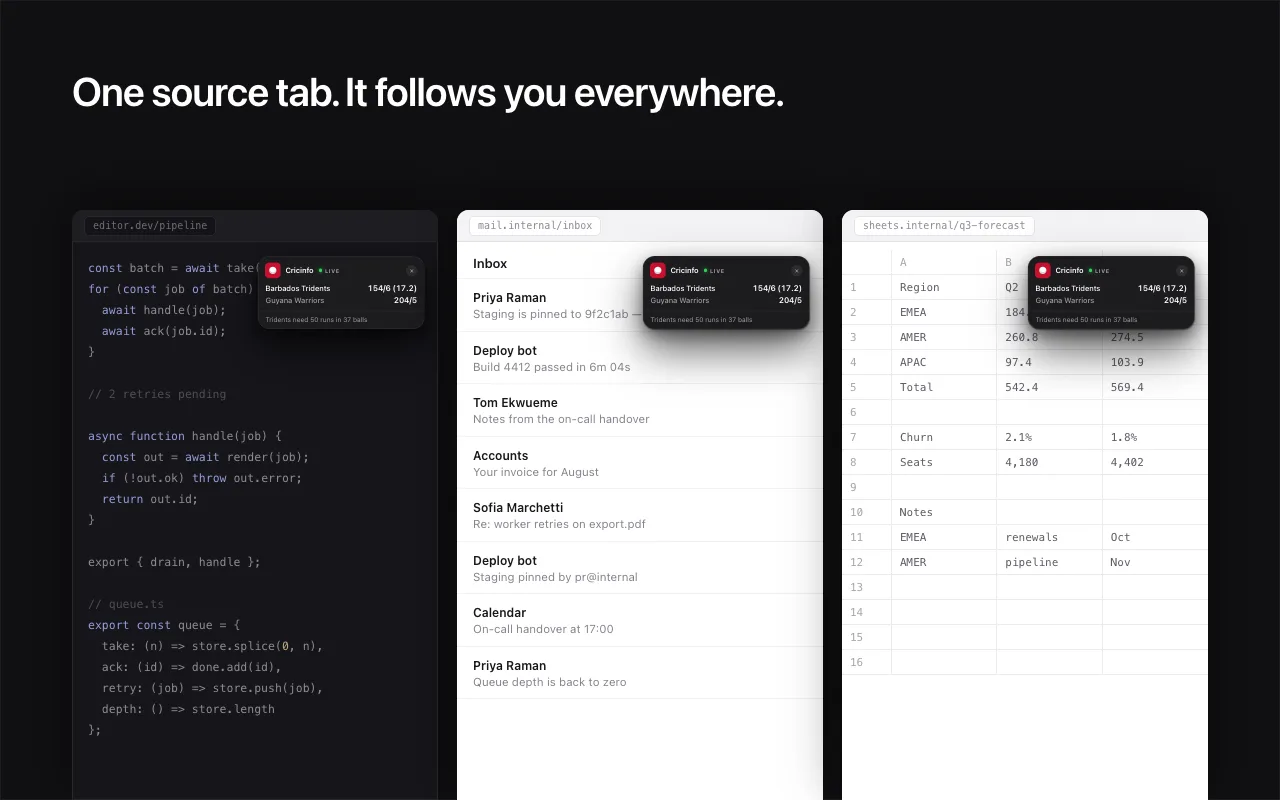
Watch something while you get on with something else
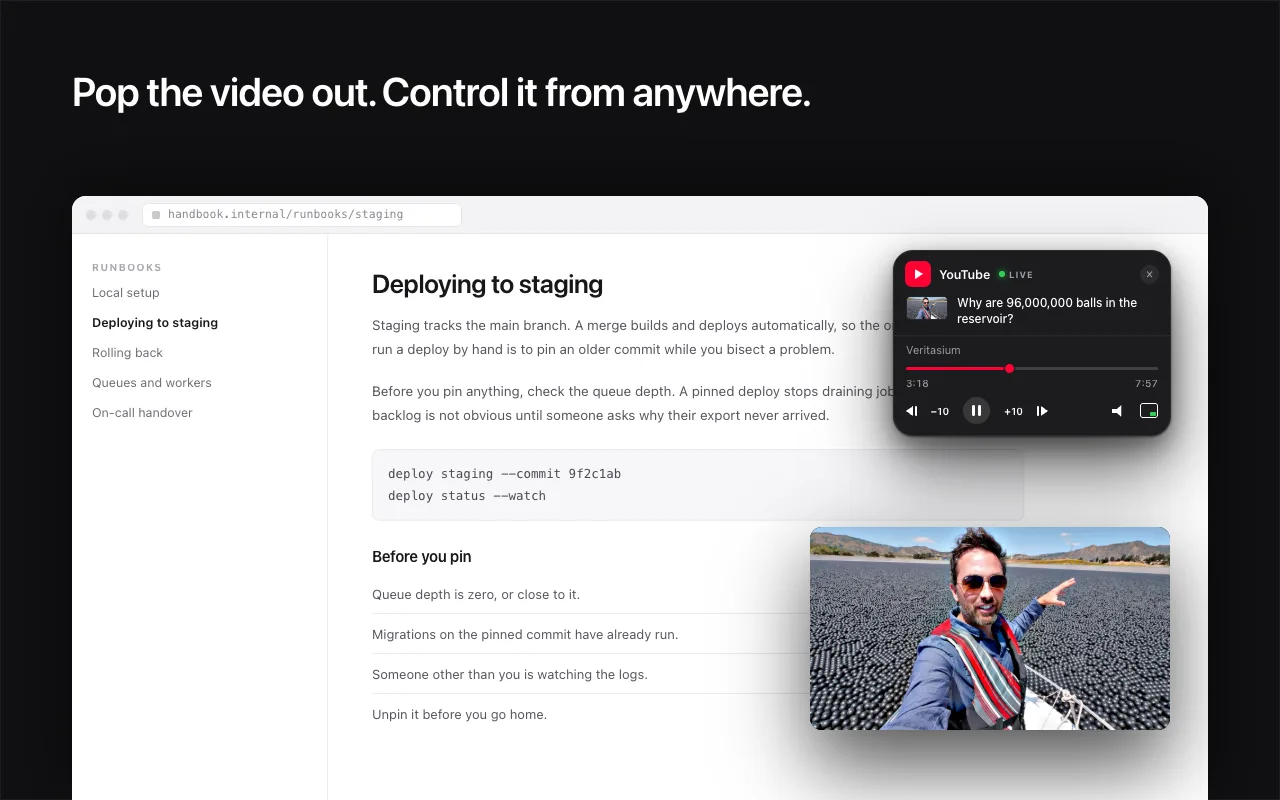
Press the button that appears on a YouTube page and the video detaches into Chrome's own picture-in-picture window. It stays always on top - above your tabs and above other applications - so you can follow a tutorial while you type in your editor, or leave a stream running in the corner while you read something else.
A window that stays on top
It is Chrome's own picture-in-picture window, so it floats above your tabs and above other applications - not just above the browser.
A remote on every other tab
Play, pause, drag the progress bar, jump ten seconds either way, next and previous track, mute. Without going back to the YouTube tab.
Audio-only, if that is all you wanted
Skip the video window entirely. A mix, a podcast, a three-hour lo-fi thing - it carries on from a background tab. The controls were the missing part.
Drag it wherever suits you
The pill is draggable and it remembers where you put it. Out of the way of whatever you are actually reading.
A pulse when the number moves
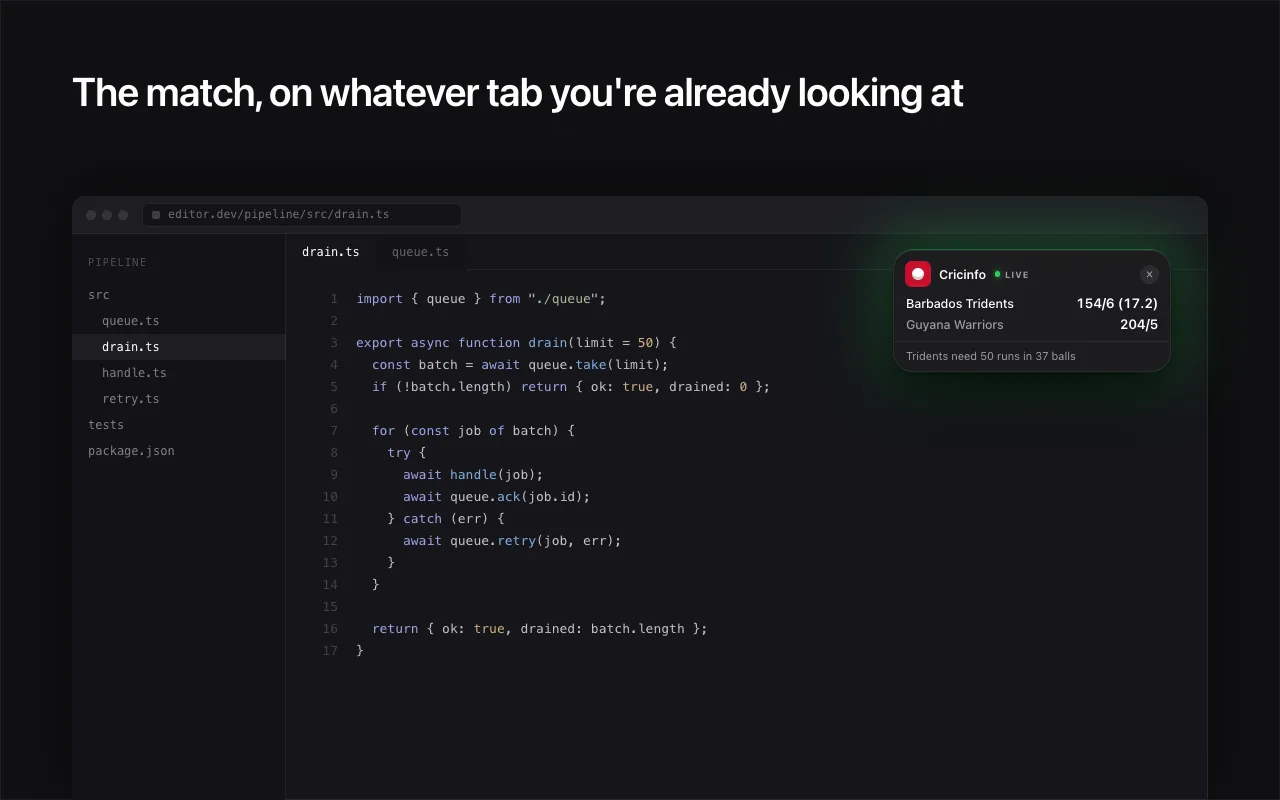
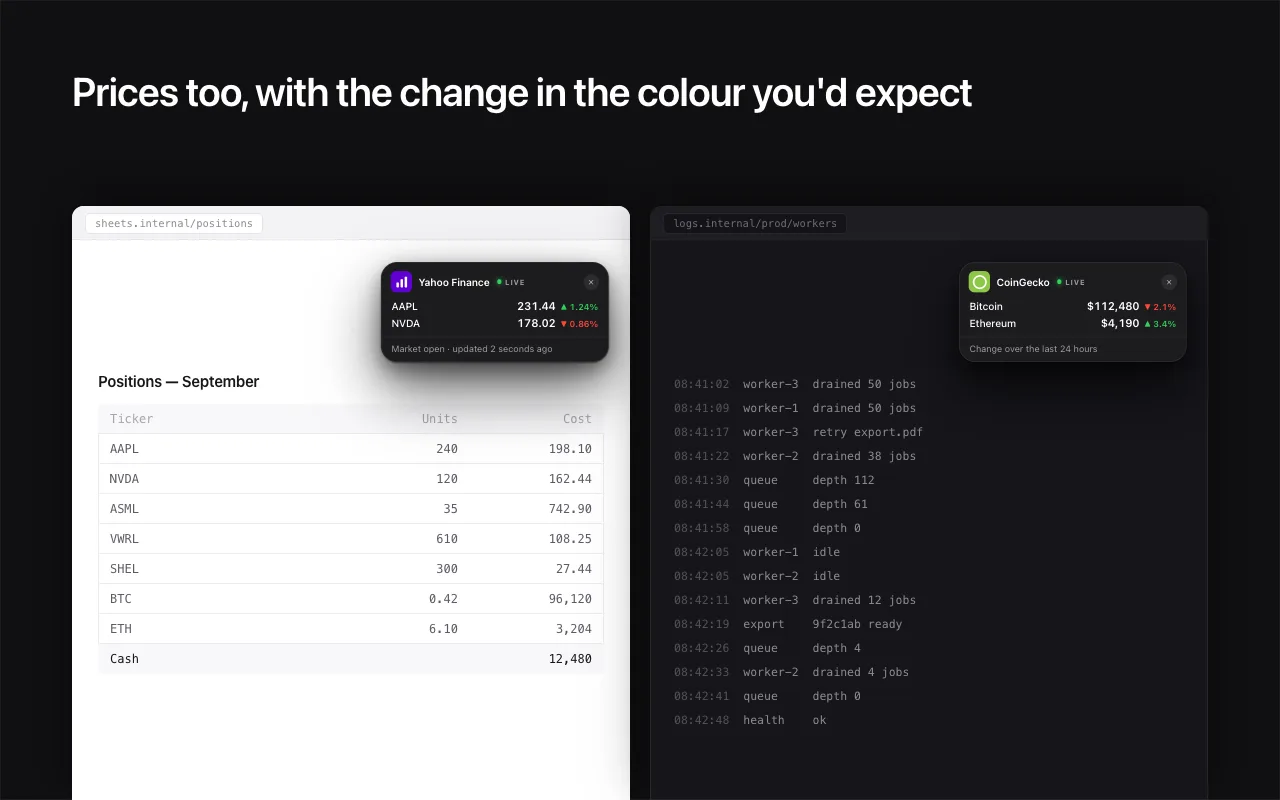
Green when it goes up, red when a price drops or a wicket falls. You catch the change without watching the pill.
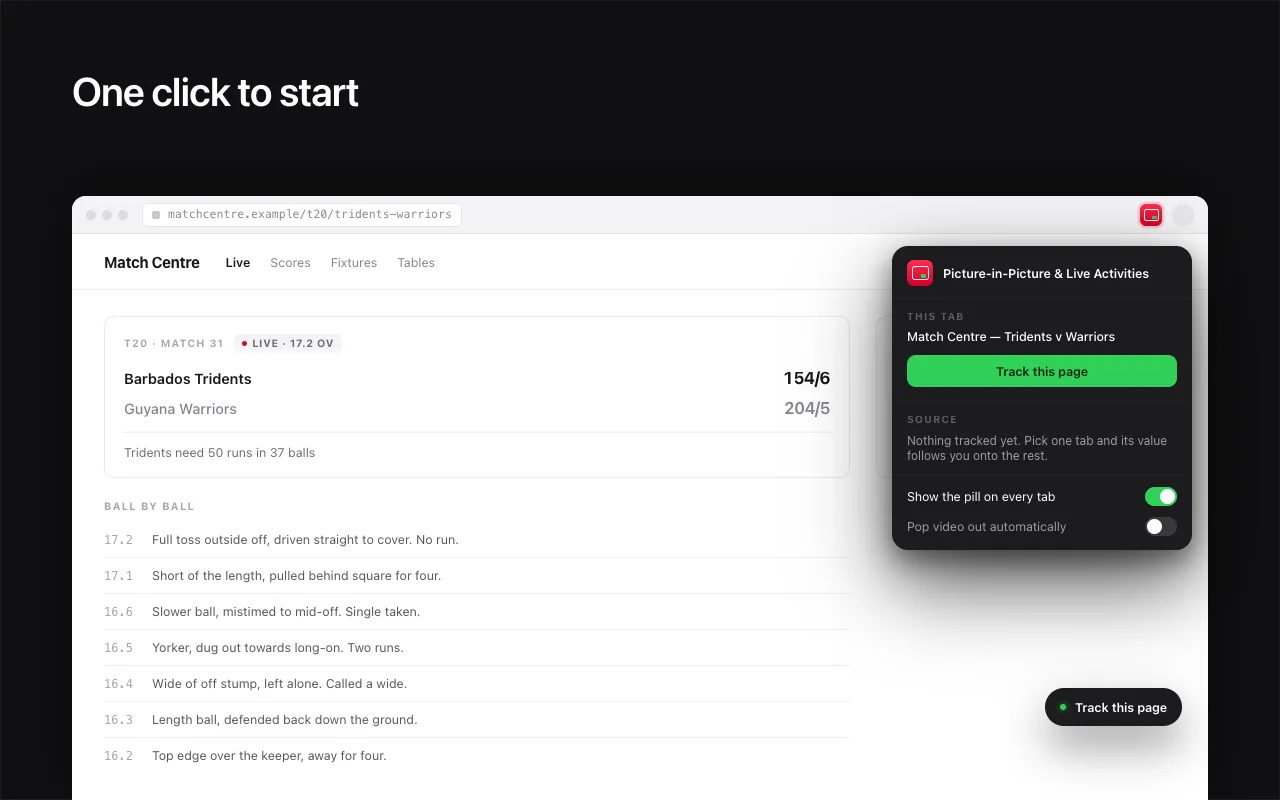
One click to start
A Track this page button appears on any supported page. On YouTube it also pops the video out in the same click.
The part other picture-in-picture extensions don't do
A video is not the only thing worth keeping in the corner of your screen. Point this at a different kind of page and the pill holds that instead, updating live, on every tab you visit.

YouTube
Video and music, as a full remote
Watch, Shorts, live streams and YouTube Music. Play, pause, scrub, skip, mute and pop out.

CoinGecko
Crypto prices
Any coin page. Live price and the 24-hour move.

TradingView
Stocks, crypto, forex, futures
Any symbol page, so you get the pair and the exchange you actually trade on.

Yahoo Finance
Stock prices
Any quote page. Live price with the day's change in green or red.

Cricinfo
Cricket
Every format, live or completed, and it carries the match situation underneath.

ESPN
NBA, NFL, NHL, MLB, college
Any game page. One adapter across every sport ESPN covers.

BBC Sport
Football
Premier League, La Liga, Bundesliga, Serie A, the Champions League and the World Cup.

Polymarket
Prediction markets
Any event page. Top outcomes and their live percentage chance.
Adding a site is a small amount of code. Open an issue if there is one you want.
Chrome already has picture-in-picture. Why this?
Chrome's built-in version works. It just stops at the window - and getting to it is a right-click, twice, in the right order.
| Capability | Chrome on its own | This extension |
|---|---|---|
| A floating window that stays on top | ||
| One click to pop the video out | ||
| Play and pause from another tab | ||
| Scrub the progress bar from another tab | ||
| Skip ten seconds, next and previous track | ||
| Holds a live score or price instead | ||
| Free |
How to keep a video or a score on every tab
Four steps, about a minute, and none of them is a sign-up form.
- 1
Add it to Chrome
Free, no account, no sign-up. Pin it to the toolbar so the button is one click away.
- 2
Open the one page you want to follow
A YouTube video, a cricket match, an NBA game, a stock quote, a coin page. The toolbar icon goes green when the tab is one it can read.
- 3
Press Track this page
Either the button in the corner of the page or the one in the popup. On YouTube the same click pops the video out.
- 4
Go back to what you were doing
The pill appears on every other tab you visit, updating live. Drag it where you want it and it stays there.
It reads one page. That is the whole story.
No API, no account, no server, nothing sent anywhere. It reads the number straight off the page you pointed it at and watches for it to change. If the site can show you the price, the pill can copy it.
No network calls of its own
It makes no requests to anywhere. There is no backend to send anything to.
Your other tabs stay private
Access to other sites is only ever used to draw the pill on them. It never reads what is on them.
Open source
The code is public, so you can check any of the above rather than take our word for it.
What it won't do
It can't put the video inside the pill
A tab cannot draw another tab's video. That limitation is the reason picture-in-picture exists in the first place. The video goes into Chrome's own floating window; the pill is the remote for it.
The first pop-out has to happen on the YouTube tab
Chrome will only start picture-in-picture from a click on the video's own tab. After that first click you can trigger it from any tab you like.
Sites redesign and adapters break. When that happens, they get fixed.
Questions people ask first
How do I use picture-in-picture on YouTube in Chrome?+
Open the video and press the button the extension adds to the page. It hands the video to Chrome's own picture-in-picture window, which floats above your tabs and above other apps. Chrome will only start picture-in-picture from a click on the YouTube tab itself, so the first pop-out has to happen there. After that you can trigger it from any tab you like.
Can I control the video from another tab?+
Yes, that is the point of it. On every other tab a small pill becomes the remote: play, pause, drag the progress bar, jump ten seconds either way, next and previous track, and mute. You never have to go back to the YouTube tab.
Does it work on YouTube Music, Shorts and live streams?+
Yes. Any watch page, Shorts page or live stream on youtube.com, plus music.youtube.com.
Can I play audio only, with the video tab in the background?+
Yes. Skip the pop-out window entirely and the audio carries on from a background tab by itself. The pill gives you the transport controls, which is the part that is normally missing.
Can the pill show the video inside it?+
No, and no extension can. A tab cannot draw another tab's video - that limitation is the reason picture-in-picture exists in the first place. The video goes into Chrome's own floating window; the pill is the remote for it.
Which sites can it read a live score or price from?+
YouTube and YouTube Music for video, CoinGecko and TradingView for crypto, Yahoo Finance and TradingView for stocks, Cricinfo for cricket, ESPN for NBA, NFL, NHL, MLB and college games, BBC Sport for football, and Polymarket for prediction markets.
Does it send my data anywhere?+
No. There are no servers, no account, no analytics and no network calls of its own. It reads the number straight off the one page you pointed it at and watches for it to change. Access to your other sites is only ever used to draw the pill on them - it never reads what is on them.
Is it free?+
Yes. It is free, there is nothing to buy, and the source code is public on GitHub if you would rather check than take our word for it.
Does it work in Edge, Brave, Arc and Opera?+
Yes. It is a standard Manifest V3 extension, so any Chromium-based browser that can install from the Chrome Web Store will run it.
Stop losing the tab you were watching.
Free, no account, and nothing leaves your computer. Pick one tab and it comes with you.
 Add to Chrome - it's free