
SidePDF vs Flexcil: One Annotated PDF or a Linked Notebook?
We make SidePDF. This comparison uses the public documentation for both products.
Annotating the same lecture in both tools
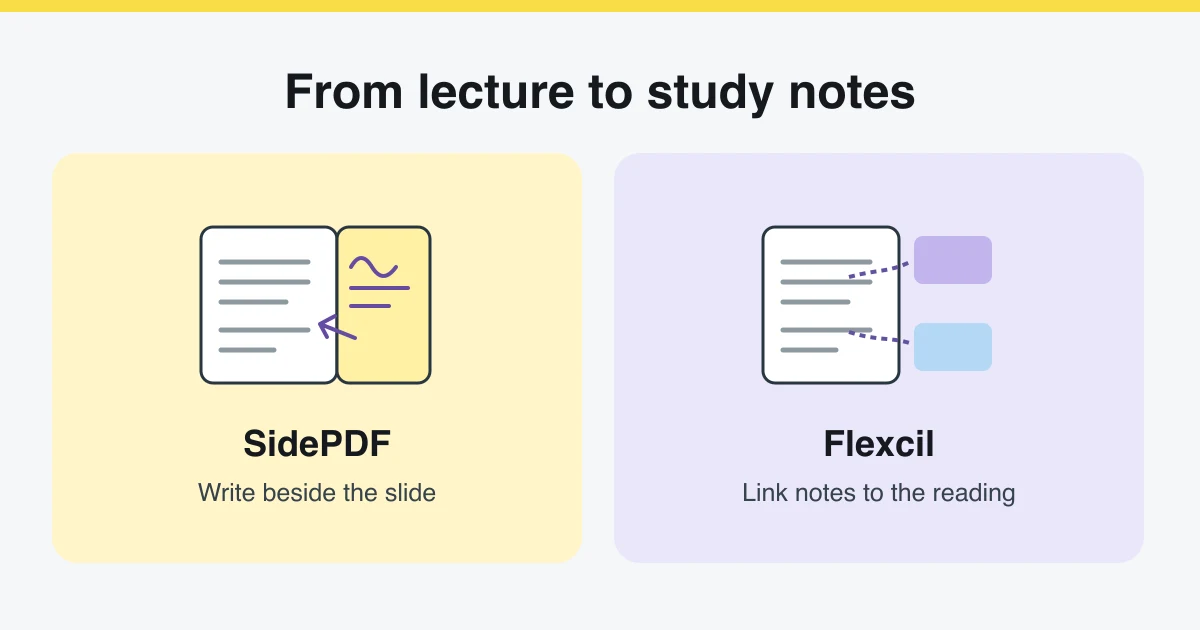
Suppose you download a slide deck and the lecturer works through a problem that isn’t on the slides. With SidePDF, widen a slide’s margin and put the missing steps beside the original question. On another page, use a narrower margin for a definition. Both pages stay in the same file, so a classmate can open the saved PDF and read your explanation alongside each slide. The free editor covers margin changes, handwriting, highlighting and typed notes. SidePDF PDF annotation tools
In Flexcil, you could make one separate study notebook for a whole topic. Use a gesture to select a diagram from one PDF, then drag it into the notebook. Flexcil creates a reference link that jumps back to the original selection. Repeat with a table from another paper to collect both on one notebook page. The linked workflow is especially useful when your revision notes pull from several sources and you want to check them quickly. Flexcil reference link guide
What your classmate can open, print or edit
| What you want to do | SidePDF | Flexcil |
|---|---|---|
| Send a copy for reading | Save a standard PDF with the notes and the expanded page | Export a flattened PDF with the selected annotations included |
| Keep marks editable | Save a .sidepdf working project with Pro to edit the individual objects later in SidePDF | Use Original PDF to export editable annotations in supporting PDF editors |
| Move a study project | Save the local notebook as a .sidepdf project with Pro | Use a Flexcil backup to move your linked documents together |
SidePDF project and export formats · Flexcil document export · Flexcil device transfer
When your study partner only needs to read the file, send a standard PDF. When they need to pick up your annotations with another editor, try Flexcil’s Original PDF export with a sample containing the marks you plan to use. Flexcil’s documentation specifically warns that transferring documents as PDFs can lose reference links. Its backup preserves the linked workspace for use in Flexcil. If you want to hand over a SidePDF working copy, use .sidepdf for editing in the extension and include the standard PDF for reading on a phone or in Acrobat. Flexcil transfer options · SidePDF export formats
Tablet editing and PC review
Flexcil’s native iOS and Android apps are the fit when your primary workflow is handwriting on a tablet. Flexcil also offers a Web Viewer for synced content on a computer. Its privacy policy says documents and annotations can be sent to Flexcil’s service when you use sync. SidePDF edits in the desktop browser and keeps PDF content and notes on the device. You can move the exported PDF between devices using your own storage or sharing method. Flexcil apps and Web Viewer · Flexcil privacy policy · SidePDF privacy
If you want to use the same note layout every week, start with the free Cornell notes tool, which can add a cue column and summary to a slide deck you already have. SidePDF Pro is useful when you want reusable layouts or want to combine slides, readings and captures from supported video players in one local notebook. If spaced repetition and mind maps matter more, see SidePDF vs MarginNote or browse the full list of SidePDF alternatives.
Frequently asked questions
Can I use Flexcil on a PC?
Yes, Flexcil offers a Web Viewer for reading synced content on a PC. Its native annotation and notebook apps are for iOS and Android. For marking up a PDF in desktop Chrome or Edge, SidePDF provides a local editing workflow.
Can I export Flexcil notes as a PDF?
Yes. Flexcil offers an Original PDF option for editable annotations and a flattened PDF option for reading or printing. Flexcil recommends its backup format when moving linked documents between devices.
Do I need SidePDF Pro to write next to lecture slides?
No. Expand the page margins, add ink or text, and save a standard PDF with the free editor. Pro adds reusable layouts, local notebooks, video capture and saving editable .sidepdf projects.
Related reading
Janith
Janith builds the JotLayer extensions: JotLayer for drawing on Notion pages, SidePDF for writing in the margins of PDFs, JotLog for filing what you read into Notion, and a YouTube picture-in-picture extension. All four are published on the Chrome Web Store and do their work in the browser.
More about Janith