
SidePDF vs MarginNote: PDF Margins or a Study System?
We make SidePDF. This comparison uses the public documentation for both products.
SidePDF vs MarginNote at a glance
| What matters | SidePDF | MarginNote 5 |
|---|---|---|
| Where you work | Desktop Chrome or Edge | Mac, iPad and iPhone |
| Where notes go | Left or right margin inside the PDF page | Handwriting layers, Extended Notes and cards linked to excerpts |
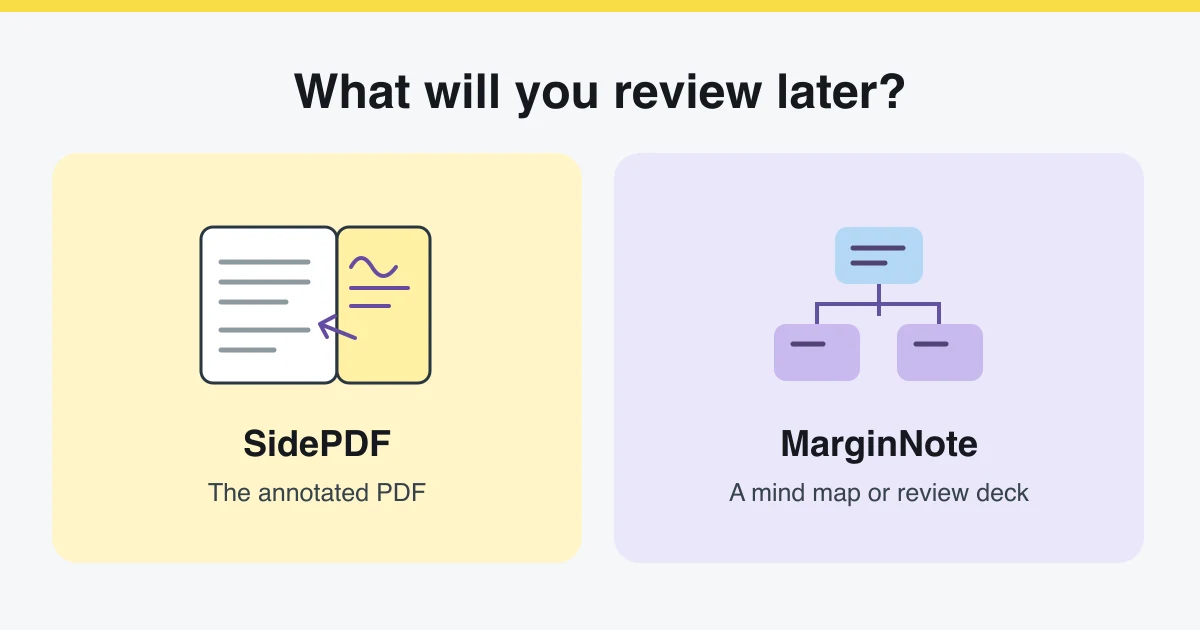
| How you review | Read the annotated PDF or assemble pages in a local Pro notebook | Revisit source-linked excerpts, a mind map or a spaced repetition deck |
| What you share | Standard PDF with the expanded page and visible notes | Document and mind-map exports for sharing, with the connected study set remaining your working copy |
SidePDF features · MarginNote 5 features and export options
What writing space means in each app
In SidePDF, widen either side of the original page, then write, highlight or draw where it helps. For example, give a narrow textbook page a left column for recall questions and a wider right column for worked examples. When you save a standard PDF, the page and its new margins are part of that file. Someone opening it in Acrobat or a phone’s PDF reader sees the same notes beside the original material. A wide page may need zooming on a phone, especially with two full note columns. SidePDF PDF export and margin tools
MarginNote’s Extended Note opens space at a specific location in the document. You can show the same note inline, dock it at the side, or collapse it as you read. That’s useful when a long equation needs scratch space while you work and a clean view for revision. If a precise printed layout matters, try exporting a single representative page from MarginNote before committing a whole textbook to a layout. MarginNote Extended Note
From a highlighted passage to an exam question
Say you’re comparing two definitions in a textbook and a lecture handout. In MarginNote, excerpt the definitions into a study set and group their cards in a mind map. Reopen each passage from its card to verify the wording. Then add a question to a review deck so you can revisit it on a schedule. This workflow earns its setup time if you keep making connections across a term’s reading. MarginNote 5 study and review features
If your goal is to send a study partner the relevant reading with your explanation already beside it, SidePDF takes fewer steps. Annotate the source page and save the PDF as the copy you send. With Pro you can collect selected PDF pages, blank notes and video captures in a local notebook, then export the whole notebook as a standard PDF. Keep a .sidepdf project when you want to revise the individual notes, drawings, images or layouts later. Saving or updating that project takes Pro. SidePDF Pro notebook walkthrough
Which app fits your device and budget?
The free SidePDF editor includes the margin tools, handwriting, highlighting, typed notes and standard PDF export. MarginNote is free to download, with a standard feature trial and paid tiers. Its official download page lists native Mac, iPad and iPhone apps. On Windows or Linux, MarginNote’s documented CLI accesses study materials from a supported mobile device on the same trusted local network. Desktop Chrome or Edge is the direct route for SidePDF’s editing tools. SidePDF features · MarginNote downloads and trial
If you study on an Android tablet and want a native pen-and-notebook workflow, see the SidePDF vs Flexcil comparison. For more options across research, mobile and desktop, see SidePDF alternatives.
Frequently asked questions
Is SidePDF a MarginNote alternative for Windows?
Yes, for adding writing space and annotating PDFs. SidePDF works in desktop Chrome and Edge on Windows. Choose a dedicated study app if you rely on MarginNote's linked mind maps and scheduled flashcards.
Can MarginNote make room beside a PDF?
Yes. MarginNote's Extended Note gives you an inline, side margin, or collapsed writing space within the app. SidePDF lets you widen either side of the actual PDF page and keeps that width in the standard PDF export.
Can I open a SidePDF export on my phone?
Yes. Save a standard PDF and open it in a PDF reader on iPhone or Android. It includes your added margins and visible notes. Keep a .sidepdf project if you also want to reopen individual notes and drawings for editing in SidePDF.
Related reading
Janith
Janith builds the JotLayer extensions: JotLayer for drawing on Notion pages, SidePDF for writing in the margins of PDFs, JotLog for filing what you read into Notion, and a YouTube picture-in-picture extension. All four are published on the Chrome Web Store and do their work in the browser.
More about Janith